Template · 1-5 photos · 19 seconds
Outstanding Tiny Desk AI template
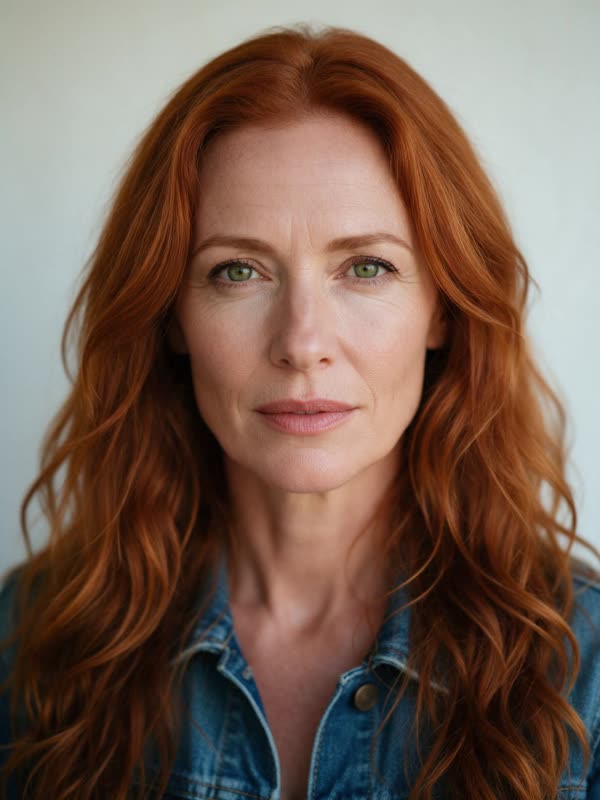
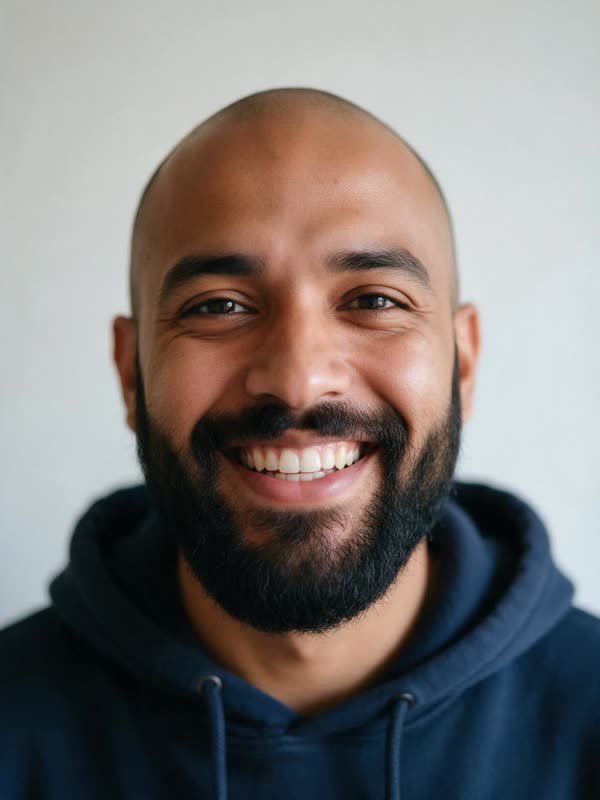


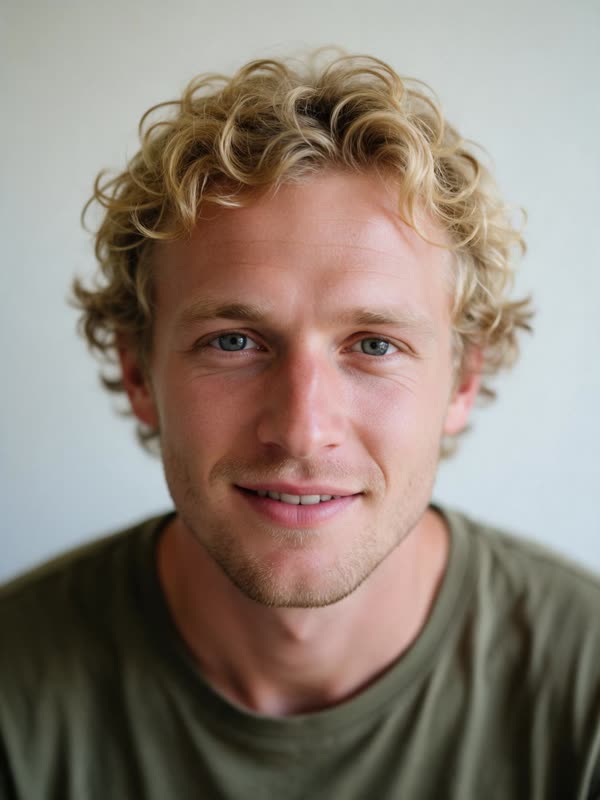
Real output from this maker, unedited, made 27 October 2026 with photos of AI-generated sample people and pets.
The Outstanding Tiny Desk AI template is the 19-second band set behind the trend, with the singer, keyboard player, sax player and two backup singers ready to be replaced. Upload your photos below and the template films every part again with your people, instead of pasting one face onto a fixed clip.
- 1-5 photos, people or pets
- 19 seconds
- 9:16, 1080p
- With "Outstanding"
Tiny Desk AI Video Generator: the template page with the original clip side by side
Outstanding Tiny Desk AI template vs the CapCut template
The CapCut template for the trend appeared on 25 October 2026, and the tutorial that went with it passed 215,000 plays in two days. It works on the phone, but it swaps faces onto the AI clip of the coaches, so the outfits, the team logos and the people you did not replace stay in the video.
Here every member is filmed again. Each person keeps the clothes from their own photo, empty spots get invented musicians instead of the coaches, and nothing from the original clip stays except the room, the camera and the song.
What is fixed in the template and what changes
- Fixed: the 19 seconds and the order of the shots: the lead singer turning to the band, the keyboard player and two backup singers at the desk, a long close-up of the lead singer singing and laughing, the saxophone solo, and the band again.
- Fixed: the Tiny Desk corner with bookshelves, records, the red keyboard, microphones and headphones for everyone.
- Fixed: "Outstanding" from the trend clip under the video.
- Changes: every face and outfit, from your photos. A pet stays a pet.
What happens in our examples
A red-haired woman in a denim jacket and a headset mic opens the video in close-up, turns to the band and laughs. Cut to the desk: a bearded man in a navy hoodie grins and waves his hands at the red keyboard while two backup singers, a woman in a mustard top and a curly-haired man in an olive T-shirt, pump their fists behind him. Back to her for the long close-up as she sings and laughs through the line, then an older man in a plaid shirt takes the saxophone solo with the keyboard player smiling in front, and the trio closes it out on the last beat.
A tan chihuahua in a red collar and headphones opens the video, then a young man with glasses grins at the red keyboard while a curly-haired man in an olive T-shirt and an AI-added bald man in a burgundy polo pump their fists behind him. The long close-up belongs to the chihuahua, mouth wide open as if singing "Outstanding" into the microphone, before a grey-haired AI sax player in a navy suit takes the solo and the band comes back for the last beat.
Trend clip: @theburnerfromhe11 on TikTok, posted 19 October 2026. Play counts read 27 October 2026.
How to make it, step by step
Pick one to five photos
One photo per person or pet, with only them in it and the face sharp. Photo 1 is the lead singer with the long close-up; the others are the keyboard player, the sax player and two backup singers. Leave a slot empty and the AI adds a musician.
Upload and confirm
Drop the photos into the maker on this page and confirm everyone agreed. Photos go straight to private storage and are deleted after 30 days.
Wait for the render
The video usually takes about 5–10 minutes. You can close the tab; it waits in Your videos and we email you when it is ready.
Download and post
Download the 19-second 9:16 MP4 in 1080p and post it with the "Outstanding" sound. Label it as AI-generated where the app asks.
The Tiny Desk AI video tutorial explains what stays as in the original clip and how to get the closest result.
Who it is for, and who it is not for
- For you if you want to join the Tiny Desk AI trend today with your own face, adult friends or family who said yes, or your pets, without an app or a CapCut template.
- Not for you if you want a different song or room, real coaches or celebrities, or a video of children: this is the 19-second Tiny Desk band playing "Outstanding", made from photos of adults or pets.
More Tiny Desk AI pages
Outstanding Tiny Desk AI template FAQ
Is there a CapCut template for Outstanding Tiny Desk AI?
Yes, since 25 October 2026. It swaps faces on a fixed clip. This template films the whole band again from your photos, in the browser.
Can I change the song?
No. The template uses "Outstanding" from the trend clip, the song everyone posts it with.
Can I change the room?
No. The scene stays the Tiny Desk corner of the trend; the people and their outfits come from your photos.
Is it the Charlie Wilson original?
It follows the AI version of the set that started the trend in October 2026, which is cut from Charlie Wilson's Tiny Desk performance of "Outstanding".
How much does it cost?
100 credits per video: $8.90 paid once, or from $5.60 with a monthly plan. Credits are taken only when the video finishes, and failed videos are refunded automatically.
What happens to my photos?
They are stored privately on Cloudflare, sent to the video model only through short-lived links, never used for training, and deleted with the video after 30 days.